
Just ask gloria.dev
The easiest way to add skills to the library is to ask gloria.dev to do it.
Identify the agent skills this project already uses, author any new ones that would help the people and agents working on it, and publish them all to gloria.dev.When you install the gloria.dev plugin you will get the Identifying Skills For A Project skill.
Author a skill bundle your agent can run
You can also author and add your own skill bundles. gloria.dev uses the agent skills standard, so that bundle is always the same shape: a root SKILL.md, any supporting files beside it, and a name that becomes the skill slug in the library. The skill is runnable when the body gives your agent a clear job, a clear set of inputs, and a clear result.
Start with SKILL.md
The schema only requires these front matter fields:
name— the skill’s human name.description— what the skill does and when to invoke it. Put the trigger phrases here; there is no separatetriggersfield.tags— optional discoverability labels.
Keep the rest of the bundle relative and safe. Add any helper files the skill needs, but keep the root SKILL.md at the top of the bundle.
---
name: documenting-service-dependencies
description: Use when you need to map and document a codebase's service dependencies. Triggers: "document our integrations/dependencies", "what external services does this connect to", "make a health-check doc".
tags:
  - documentation
  - dependencies
---

## Overview

Document every outbound system the code uses and keep the findings grounded in the repository.

## When to use

Use this skill when a repo needs dependency inventories, health checks, or a service map.

## Process

1. Inspect the code for outbound calls and service clients.
2. Classify each dependency.
3. Write the bundle files and any supporting docs.

## Output

Return the dependency inventory and the health-check notes. Generate `PROJECT_EXPLAINER`; for monorepos, also generate `PACKAGE_MAP`. Include the files that were created or updated.
Shape the body for another agent
Write the body as instructions for a teammate, not as prose for a human reader. A runnable skill usually includes:
- Overview — what the skill does.
- When to use — the kinds of requests it should answer.
- Inputs — the files, prompts, or signals it should inspect.
- Process — the ordered steps it should follow.
- Output — what the agent should return.
- Common mistakes — what to avoid when the conventions get fuzzy.
If the skill needs long examples or reusable snippets, move them into supporting files instead of bloating SKILL.md.
Create the first version in gloria.dev
- Open the Skill Library in your organization.
- Choose New skill.
- Fill in
SKILL.mdfirst, then add any supporting files. - Save the bundle.
Opening New skill from a project keeps that project selected in the editor.
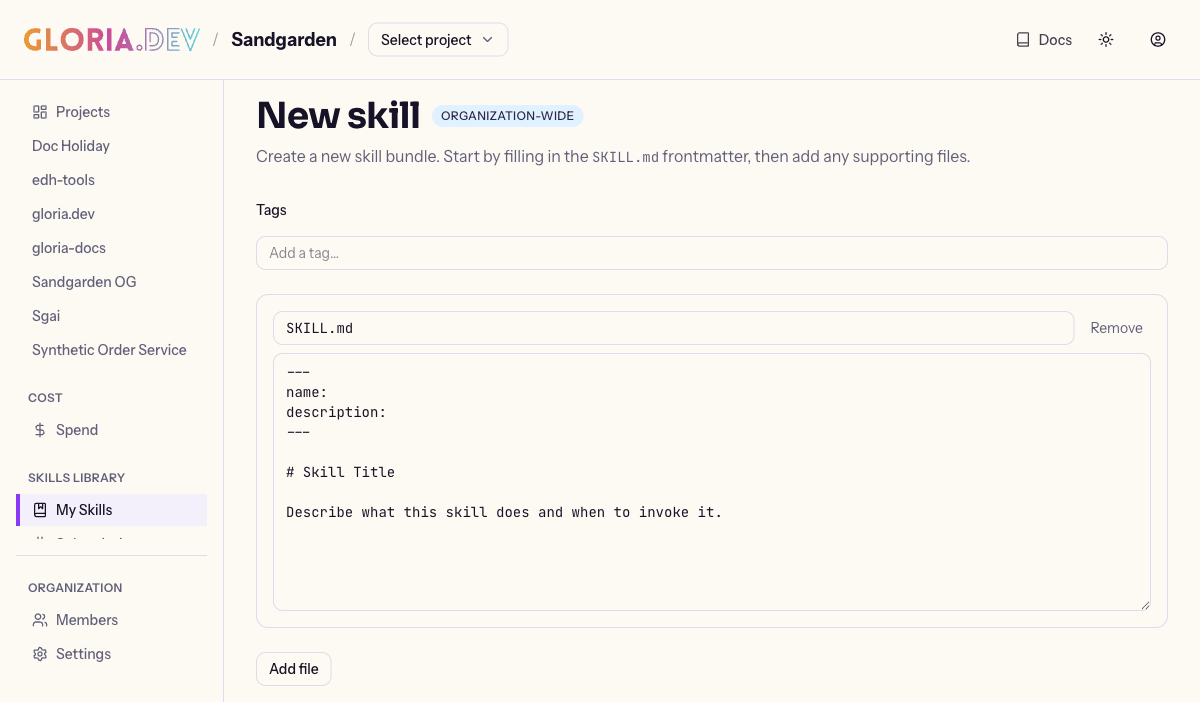
Saving publishes the first version. The editor will not let you save until SKILL.md has non-empty name and description values.
You: "Create a skill for our release checklist and keep the examples in separate files."
Gloria: "The new skill bundle is ready. SKILL.md defines the name, description, and trigger phrases, and the supporting files are saved alongside it as a versioned bundle."
If you prefer to work through your agent, the same bundle shape can be created through gloria.dev’s MCP connection. Your agent writes the files, and gloria.dev stores the versioned skill for the organization.
Edit an existing skill
- Open the skill’s Edit page.
- Update
SKILL.mdor any supporting file. - Save again.
Opening Edit from a project keeps that project selected through the flow. The Save and Cancel links preserve that context.
If the skill content or marketplace map changes, bump the root package.json version before publishing the new version. See Publishing Skills and Versioning for details.
Saving creates a new version instead of overwriting the old one. That is the point of the library: you can keep refining the convention without losing the earlier copy. System skills seeded by gloria.dev are read-only, so their edit page is unavailable.
You: "Update the release-checklist skill so it covers the new deployment gate."
Gloria: "The skill was updated as a new version, and the earlier version is still available if you need it."
Verify and share
After saving, open the skill detail page and check three things:
- the skill name and description read the way you expect;
- the file list includes the root
SKILL.mdand every supporting file; - the newest version reflects your last change.
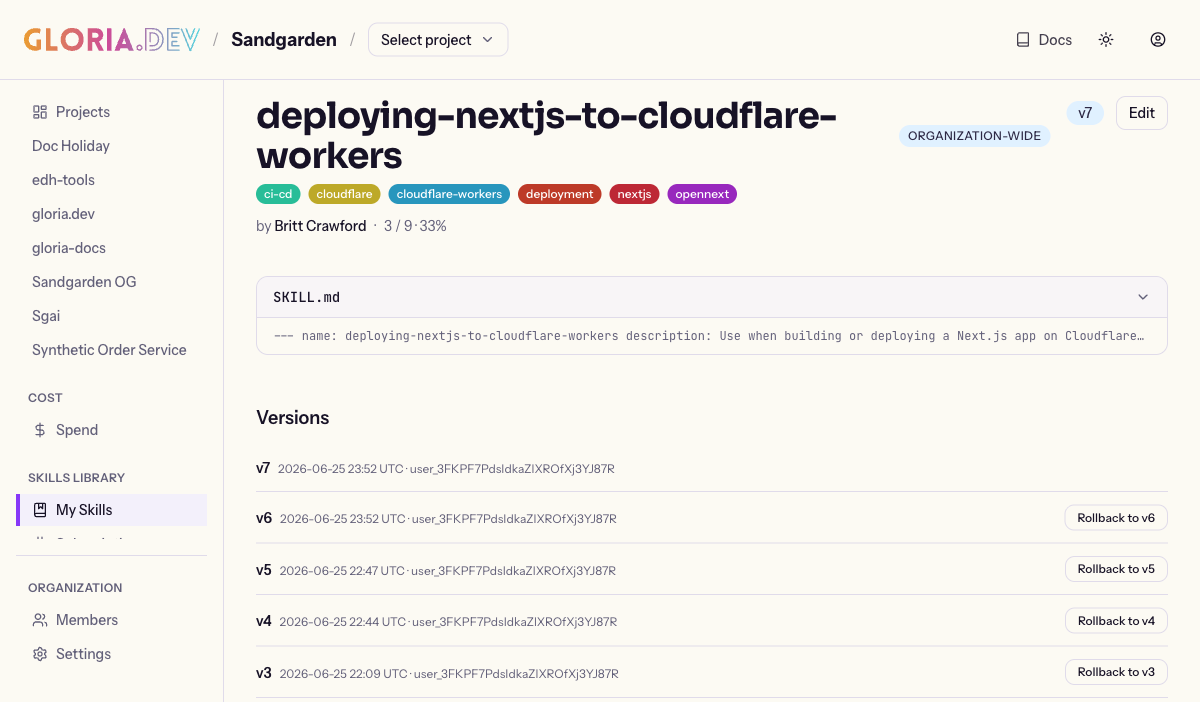
If the skill is ready for the whole organization, publish it so other projects can use it. If you want the rules around publishing and updates, continue to Publishing Skills and Versioning.
Next
Want the shared model first? Start with Skill Library. Want the rollout details? Read Publishing Skills and Versioning.