
Check Code Against Standards
The checking-coding-standards skill checks code against a project’s registered rules and canonical snippets, then records drift on Gloria’s Findings page. Use it when a change needs a quick check on the changed files or a broader repository-wide audit.
- Ask your agent: “Check this pull request against our coding standards.”
Your agent runs the default diff-scoped check, compares the changed code with the registered standards, and reports any
rule_violationorunattributed_duplicationfindings. - If the change needs a wider sweep, ask your agent: “Audit this repository against our coding standards.” Your agent runs the repository-wide audit, includes the lightweight metadata checks for render stamps and rule evidence, and looks for code drift.
- Read the report your agent sends back.
The summary should include counts by finding type, the findings it deduped, any findings it auto-resolved, and the important
file:lineitems that still need attention.
What the findings mean
rule_violationmeans the code breaks a registered rule.unattributed_duplicationmeans the code reuses a canonical snippet without agloria:snippetmarker.- A nearby comment that explains a deliberate deviation counts as intent when the rule is
observed. enforcedrules still have to hold.- Uncovered languages or patterns stay quiet instead of producing speculative findings.
Where results appear
Gloria’s Drift view shows findings in an Open findings table. Related findings stay grouped together, and each row shows the finding type as a colored tag, the matching rule or snippet, the affected file and line, and the next action in plain language. Each row also includes a Dismiss action for findings that no longer need attention.
Under Open findings, Drift shows a single Last checked summary for the most recent standards run. It also keeps the metadata notices that appear when the displayed standards fall behind the current library. If nothing has been reported yet, the page offers a standards check prompt that the agent can run right away.
When a finding links into Coding Standards, Gloria opens the matching rule directly, expands that rule, and scrolls it into view. Findings can also open the related snippet detail page, which makes it easier to compare the code with the canonical example.
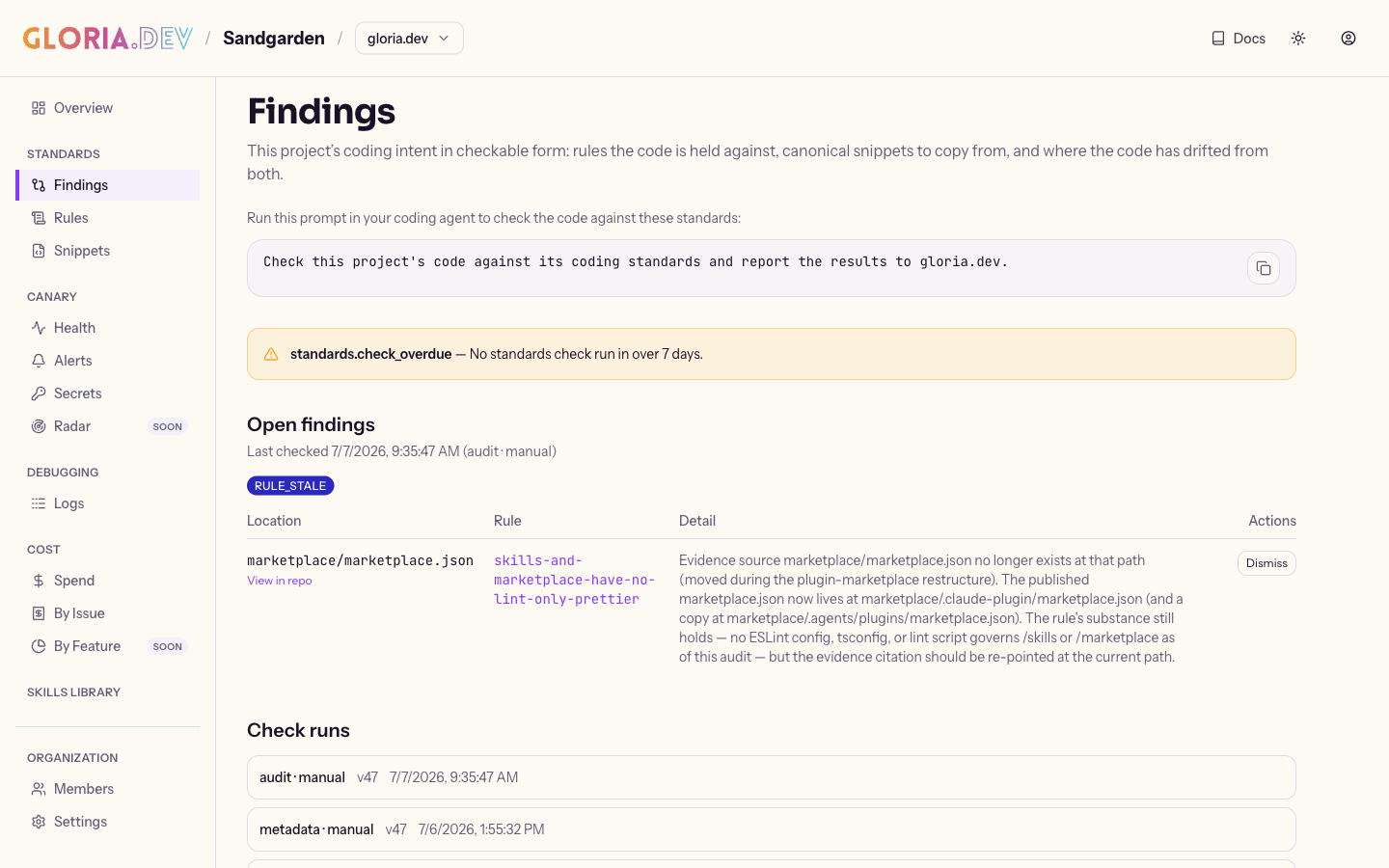
The same results appear there after the agent reports the run, so the agent summary and the Drift view stay in sync.
Verify
Ask your agent: “Run a standards check on this branch and tell me what appeared in Drift.”
Confirm that the open findings table, the Last checked summary, and any metadata notices in Drift match the summary it reported.