
Discover Dependencies
Use this guide when you want your agent to turn a repository’s source code into a monitored dependency inventory. The documenting-service-dependencies skill does the heavy lifting; it first writes the four dependency inventory and health-check pages, then can add project-registration outputs when the project is synced to gloria.dev. For shared terms like dependency and health check, see Concepts and Health Checks.
1. Ask your agent to map the repository’s service dependencies
Ask your agent: “Document the service dependencies in this repository.”
Your agent scans the source code for outbound calls, keeps only dependencies the app actually reaches at runtime, and classifies each one as external SaaS or internal system. An import by itself is not enough; there has to be a live call.
It will then write the four linked Markdown dependency pages, plus a PROJECT_EXPLAINER for first-time or whole-repo passes and a PACKAGE_MAP for monorepos:
- Inventory of external SaaS dependencies
- A document explaining how to health check them
- Internal systems inventory
- A document explaining how to health check them
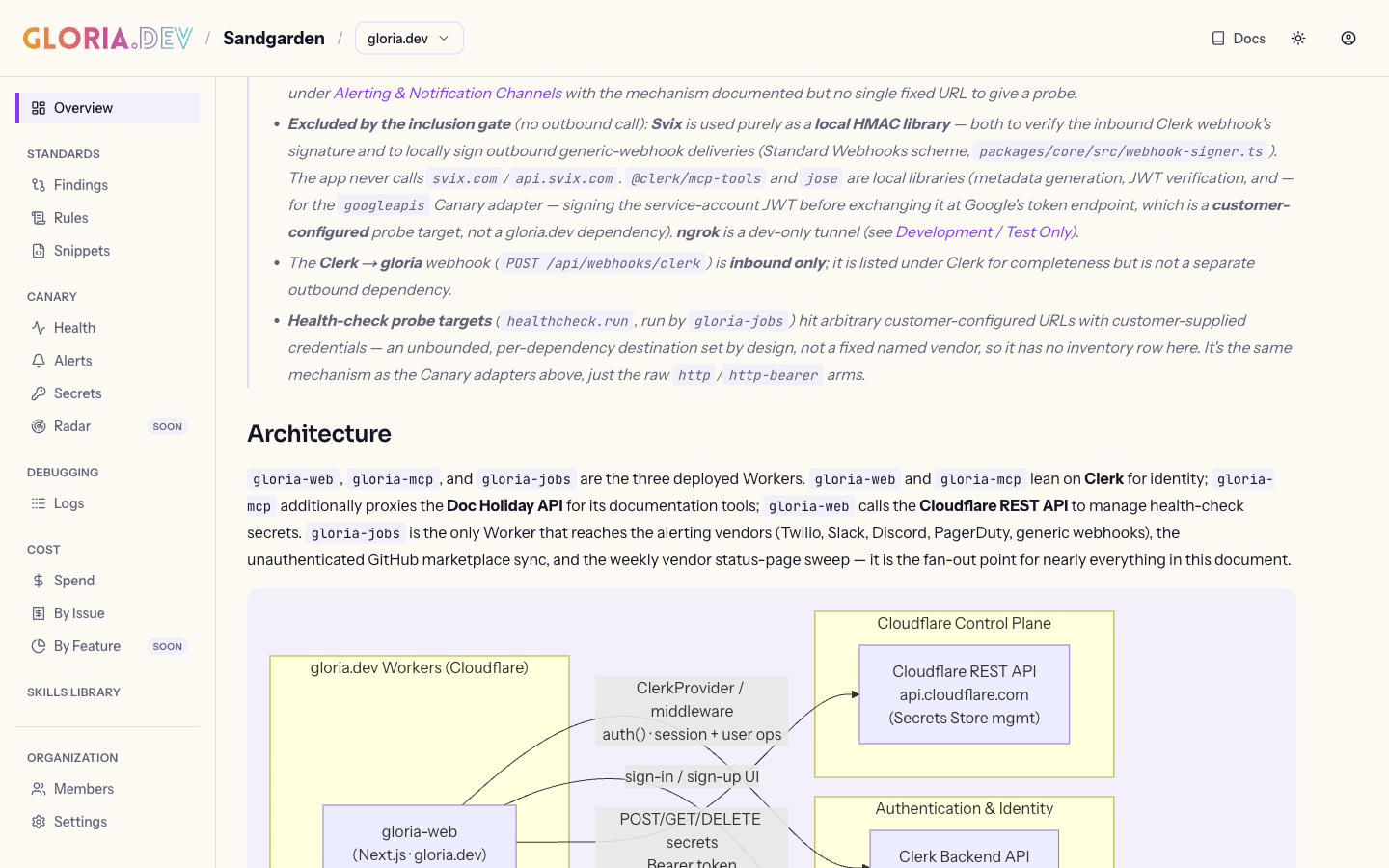
Each inventory page includes a Mermaid architecture diagram and an explanation of how each dependency is used within your application.
2. Sync the inventory to gloria.dev
Ask your agent: “Sync these dependencies to gloria.dev so Canary starts monitoring them.”
Your agent hands the inventory and docs to gloria.dev, registers them under the current project, and Canary starts checking the dependencies continuously. When the repo shows real evidence for a docs site — such as a homepage, a README docs link, llms.txt / agents.txt, a hardcoded Docs link, or GitHub’s Website field — the registration pass backfills the project’s docs URL. It never guesses one. If you don’t want to sync or the gloria.dev MCP server is not connected, then you still get the four architecture and health check docs.
Verify
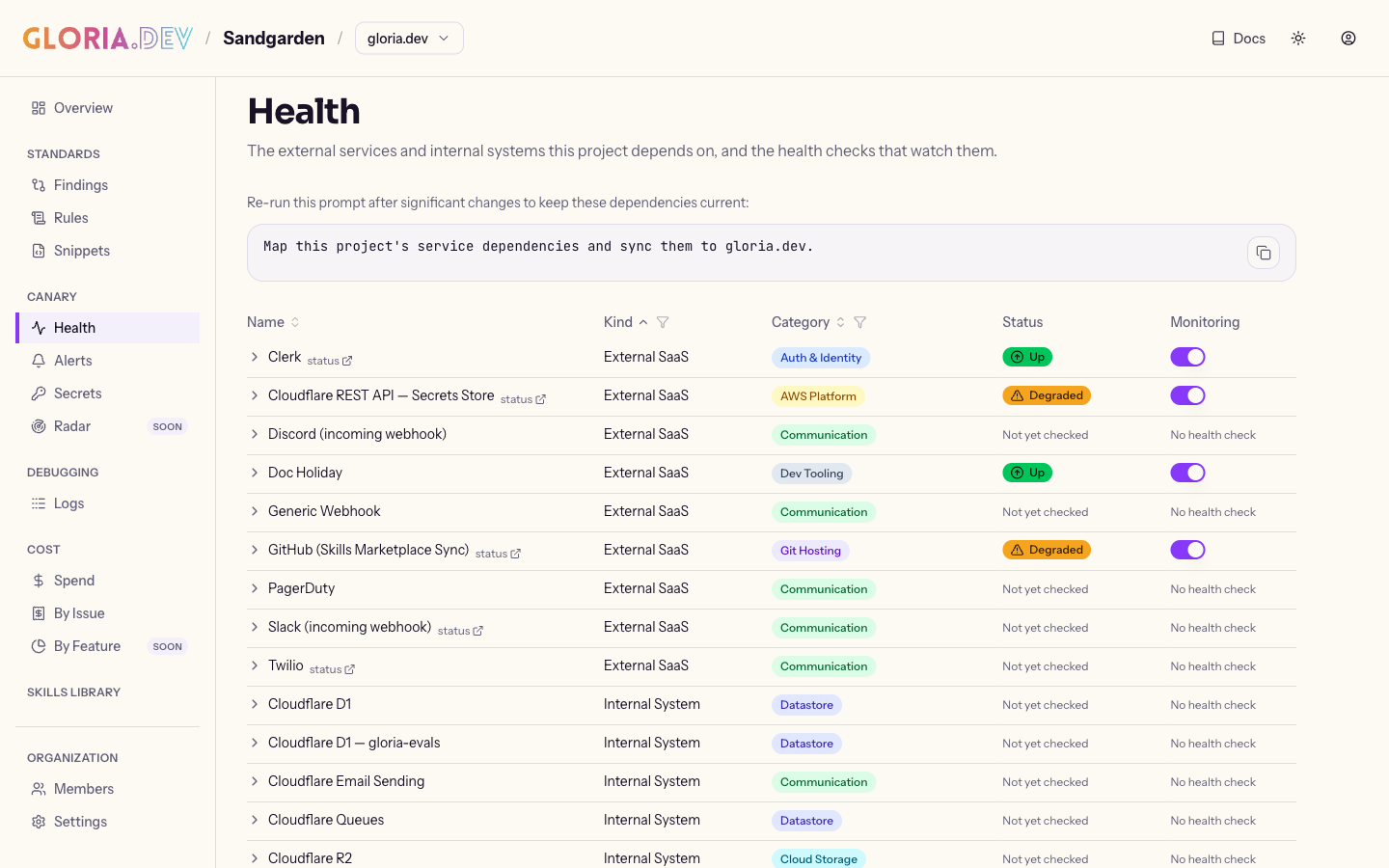
Ask your agent: “Show me the status of the dependencies for this project.”
Your agent should confirm the project shows the dependencies in gloria.dev and Canary is running checks for them. When real evidence exists, the project should also show the backfilled docs URL. First-time registration should add a PROJECT_EXPLAINER, and monorepo registration should add a PACKAGE_MAP. If you prefer a dashboard view, open the project in the web app and review the dependency inventory there. The top of the Health page also keeps a copyable documenting-service-dependencies prompt visible after the project already has dependencies. Use it when you want to refresh the project’s dependency inventory without clearing the page first. It is a convenience, not a new setup step.
