
Features at a glance
Features keeps a project’s product map tied to reality. It turns the feature names people use into records that point back to the files and symbols that implement them, then shows that map in the project dashboard.
What a feature record is
A feature record is the shared entry for one product capability. It keeps the feature name, a short description, the layer it belongs to, user-facing aliases, documentation links, and the files and symbols behind that feature together with a structured summary of what was built, human-authored notes, and any private screenshots attached to the record.
That record gives the team one place to understand how a capability appears in the product, what parts of the project support it, and what context people have added since the last analysis pass. The map keeps product language tied to the work behind it without forcing readers to inspect project files first.
The loop: describe → map → build
Describe
The mapping skill reads the repository source and the product language around it. It gathers the names people actually use and the code surface that appears to deliver them.
Map
The skill turns that evidence into feature records. Each record keeps the user-facing label, layer, aliases, a summary of what was built, notes, screenshots, documentation links, and code references together, so the map can resolve a plain-language feature request back to the right part of the project.
Build
The MCP server stores the records, and the web app keeps them visible in the project dashboard. That keeps the feature map available after the agent finishes its pass.
How the dashboard shows the map
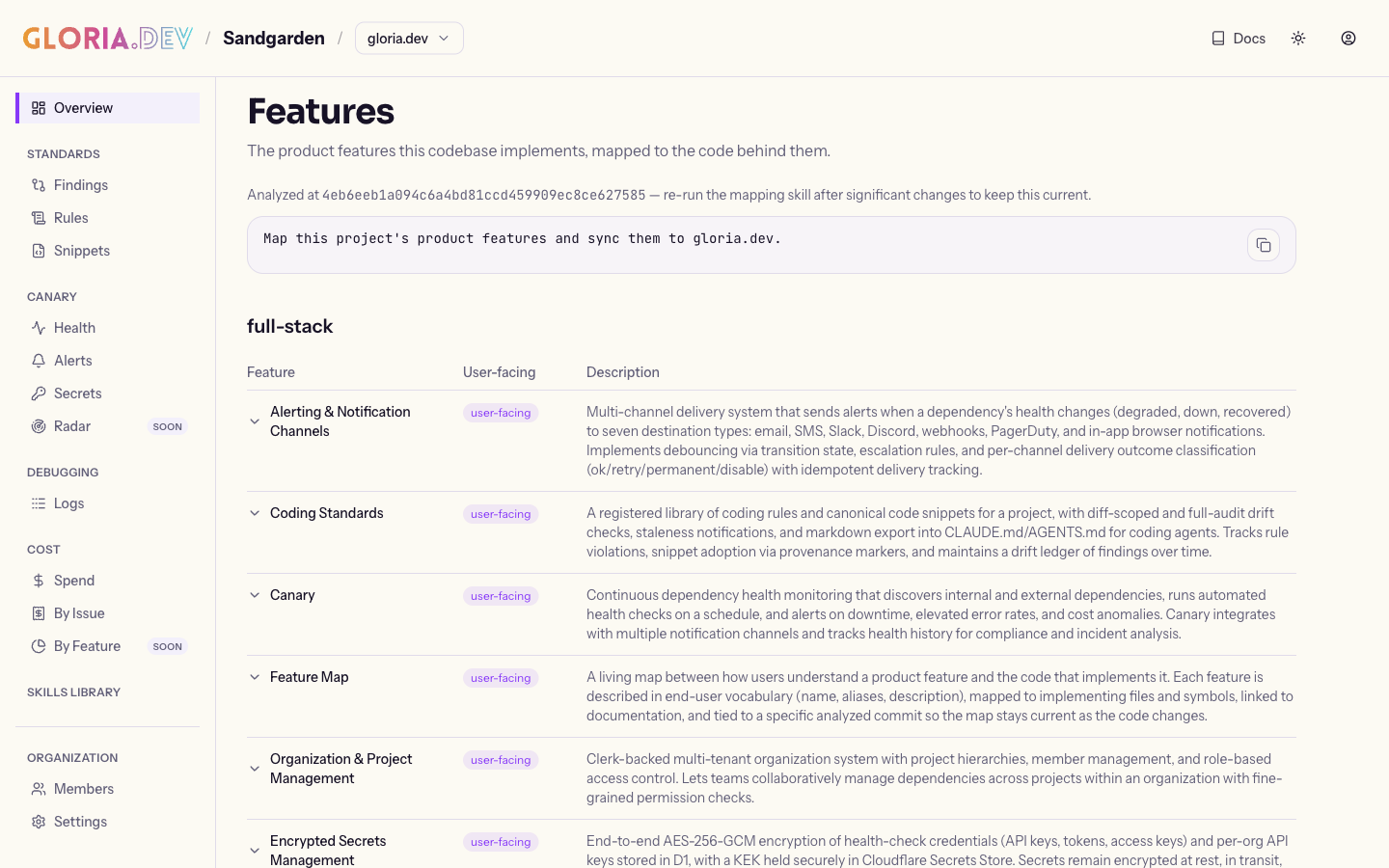
The project’s Features tab groups feature records by layer and shows each row with the feature name, a user-facing marker, the description, and colored alias tags that make alternate names easy to scan. Expanding a row opens a richer view with a What was built section, editable notes, a Code section that links to the exact analyzed file version when that link is available, and the visible symbols that belong to the feature.
That expanded view also shows reverse links to related features that share files or documentation, private screenshot thumbnails that open in a lightbox, and a No docs badge on user-facing rows that still do not have documentation coverage.
Why Features exists
Features gives gloria.dev the product-side version of the same intent-versus-implementation loop that powers Canary. It keeps the code, the user’s vocabulary, and the dashboard’s notes, screenshots, and documentation signals aligned so the map stays useful as the project changes.