
What notifications cover
Canary watches the dependencies a project relies on and notifies you when one of three things happens: downtime, elevated error rate, or higher-than-normal cost. That gives you an early warning before a vendor or your users do.
For the shared vocabulary behind dependencies, health checks, and status, see Concepts.
When an alert fires
- Downtime means the dependency is down.
- Elevated error rate means the dependency is degraded or erroring more than usual.
- Recovery means the dependency was degraded or down and the status improved.
Canary does not send a new alert on every noisy result. It waits for repeated results to settle first, using two matching checks by default unless a subscription overrides that threshold. Once an incident is open, the same bad state stays quiet; if the dependency gets worse inside that incident, the worse state can trigger a new alert. When the dependency returns to up, recovery fires once and the incident closes.
Channels
The concrete delivery paths covered on this page are email, Discord, Slack, PagerDuty, and Webhook.
- Email is a direct channel. Alerts go to the channel’s verified default addresses and to subscribing users’ profile emails, with duplicates removed before delivery.
- Discord is a broadcast channel. One incoming webhook posts into the chosen Discord channel, and the channel can set a display name plus optional username and avatar.
- Slack is a team channel. Alerts post into the Slack channel you connect.
- PagerDuty is an incident channel. Alerts can page the on-call team through your PagerDuty setup.
- Webhook is a flexible channel. Alerts are sent to the endpoint you provide.
Configure a channel
- Open your project’s Alerts settings.
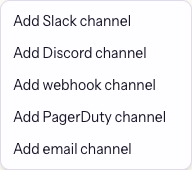
- Choose Add and create an email, Discord, Slack, PagerDuty, or Webhook channel.
- Enter the channel name and the connection details the setup form asks for.
- Save the channel, then verify it before you rely on it for production alerts.
- Use the per-channel dependency switches to decide what each channel hears about. Each switch applies to all alert events for that dependency.

Verify. Ask your agent to send a test alert. If it lands in the right inbox, Discord channel, Slack channel, PagerDuty incident, or webhook endpoint, the setup is ready.
Next
- Read Canary for the full discover-check-notify loop.
- Read Health Checks for the checks that feed these alerts.
- For the broader setup flow, see Notifications and Channels.