
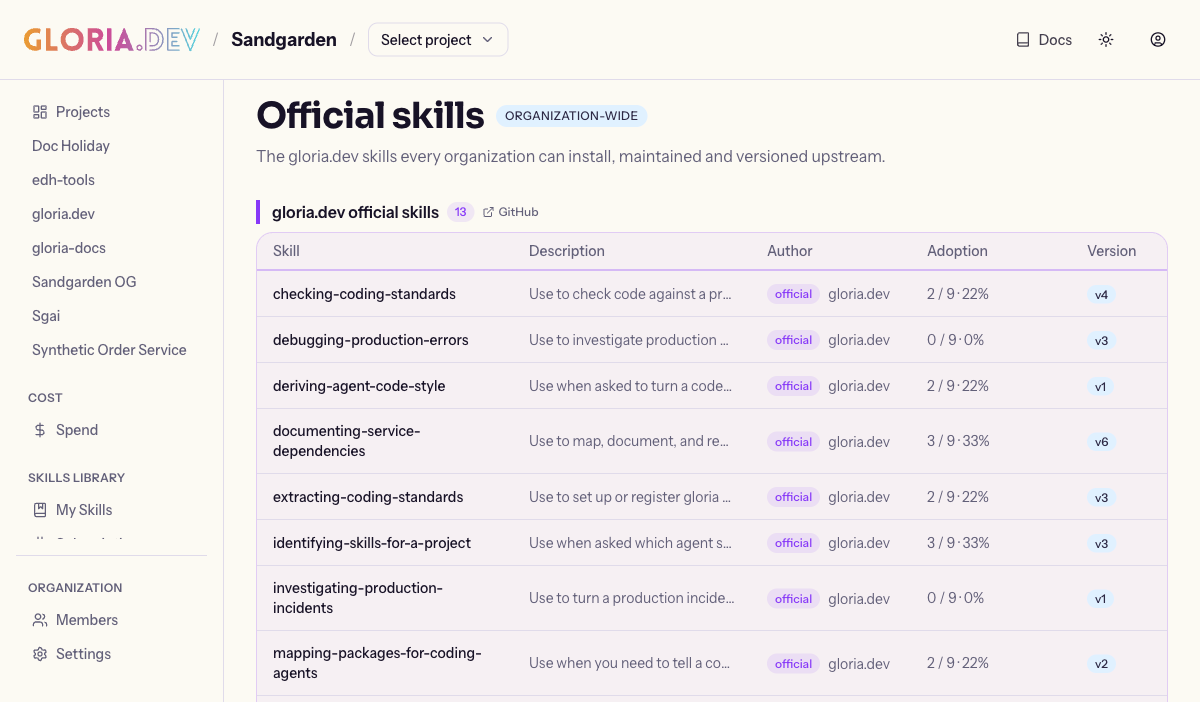
The Skill Library gives your team one place to capture, share, publish, and install reusable skills for your agent. It keeps the shared library visible in the web app while the same skill stays ready wherever your agent works. The official skills page shows GitHub links beside official skill group headings, so the upstream repositories are one click away.
What a skill is
A skill is a versioned, shareable coding-agent bundle rooted at SKILL.md and supported by whatever files it needs. Frontmatter, tags, a summary, and generated manifest data help the library identify it and keep each version consistent.
How author → publish → install works
- Author: You capture a repeatable way of working as a skill. That keeps useful agent behavior close to the source and ready to reuse.
- Publish: Publishing turns the bundle into an immutable version in your organization’s private library, which acts like your team’s private marketplace. That gives your organization one stable place to share approved skills.
- Install: Installing pulls the latest skill into your agent or dev environment, and the UI records adoption so version state stays visible.
Where the library appears
In the Skills area of the web app, you can browse the organization-level library. When Skills opens from inside a project, that project stays selected as you browse the library. It surfaces official skills, organization-authored skills, marketplace sections, tags, search, skill detail pages, version history, and installation or adoption state. The official catalog includes skills for common Gloria workflows, including capturing-documentation-screenshots. That skill helps an agent plan, capture, review, and place real documentation screenshots on a page, pause for captures a person must handle by hand, and crop away sensitive details before the images go live.
The page also keeps the copyable companion skill prompt visible at the top when results or filters are present, so reruns stay easy after the page is populated. The results per page selector now respects the Skills page’s own default, so changing the page size no longer jumps back unexpectedly.
Want to go deeper?
See Authoring Skills, Publishing Skills, Installing Skills, Versioning, Bundled Skills, and Skills MCP Reference.