
Use this page when you already work inside a coding agent and want gloria.dev’s MCP server plus its skills available there. If you only need the connection setup, start with Install the MCP Server. If you only need the skills model, see Installing Skills and Skill Library.
Install gloria.dev in your agent
Claude Code
Use the marketplace plugin to register the gloria marketplace and install the gloria plugin:
/plugin marketplace add sandgardenhq/gloria
/plugin install gloria@gloria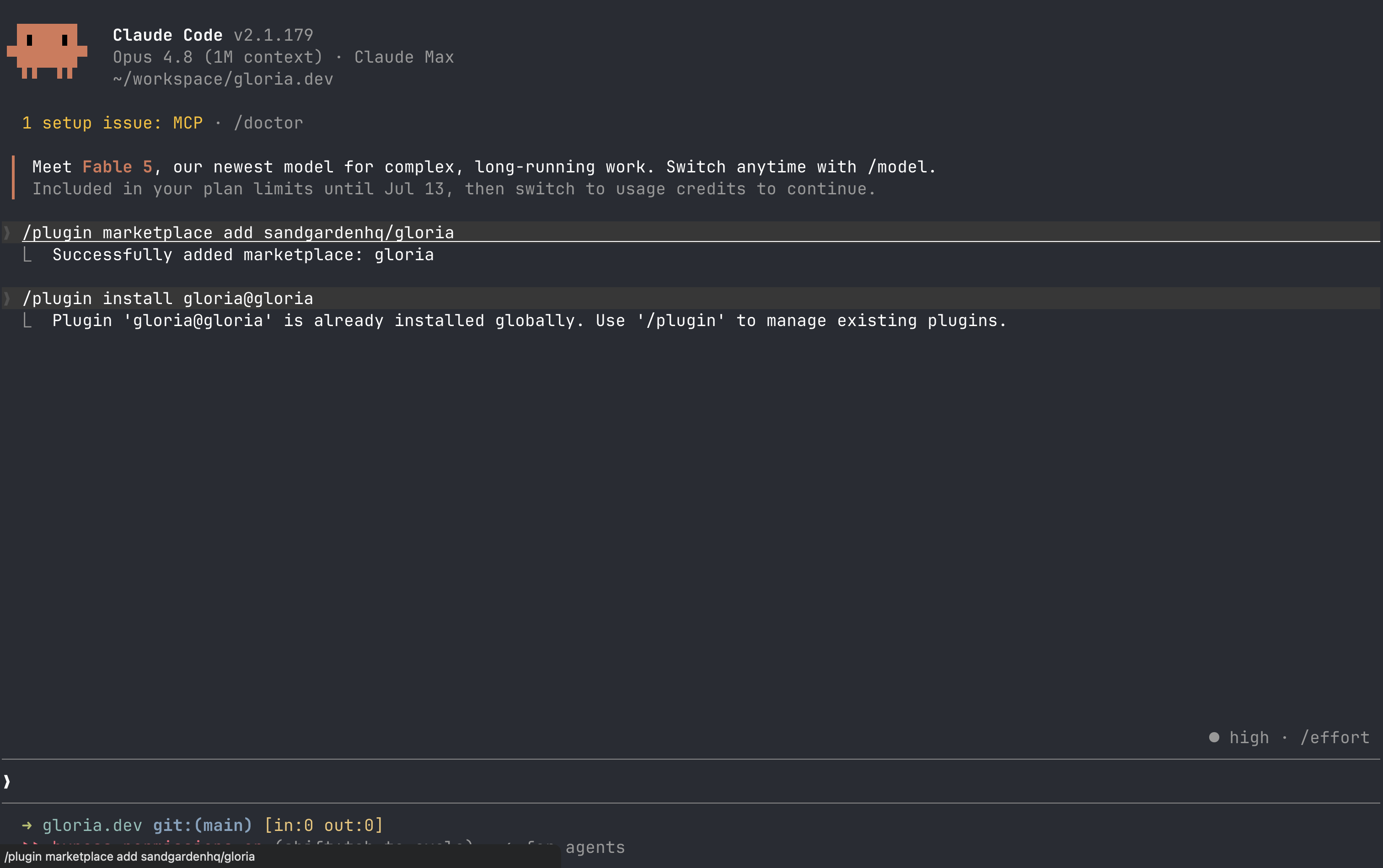
Then open /mcp, select gloria, and complete the one-time sign-in. The first connection uses the remote MCP server at https://mcp.gloria.dev/mcp, and Claude Code keeps the connection available in the scope you chose.
OpenAI Codex
Use the same marketplace, then install the plugin from inside Codex, finish the one-time login, and trust the Gloria hook once:
codex plugin marketplace add sandgardenhq/gloria
/plugins
codex mcp login gloria
/hooks
/plugins opens Codex’s plugin manager, where you install gloria. After that, Codex signs in to the remote MCP server at https://mcp.gloria.dev/mcp and uses your active gloria.dev organization. Then open /hooks, trust the Gloria hook, and leave it enabled so Codex can show an update reminder when the installed plugin is out of date.
OpenCode
OpenCode has no marketplace, so add gloria.dev as a plugin in opencode.json:
{ "plugin": ["gloria@git+https://github.com/sandgardenhq/gloria.git"] }Restart OpenCode. On first use, it installs the plugin, registers gloria.dev’s skills, and connects to https://mcp.gloria.dev/mcp. The first request opens a one-time browser sign-in.
Cursor
Cursor has no plugin marketplace, so install the local Gloria plugin:
git -C ~/.cursor/plugins/sources/gloria pull || git clone https://github.com/sandgardenhq/gloria.git ~/.cursor/plugins/sources/gloria && mkdir -p ~/.cursor/plugins/local && ln -sf ~/.cursor/plugins/sources/gloria/plugins/gloria ~/.cursor/plugins/local/gloriaCursor loads Gloria from ~/.cursor/plugins/local/gloria, which points at ~/.cursor/plugins/sources/gloria/plugins/gloria. That single plugin loads both gloria.dev’s remote MCP connection and the bundled skills, so Cursor no longer needs a separate .cursor/mcp.json entry or a manual skills/ copy.
Claude Code, Codex, and OpenCode can show an update reminder when the installed Gloria plugin is out of date. Cursor does not show that reminder inside the agent.
Verify
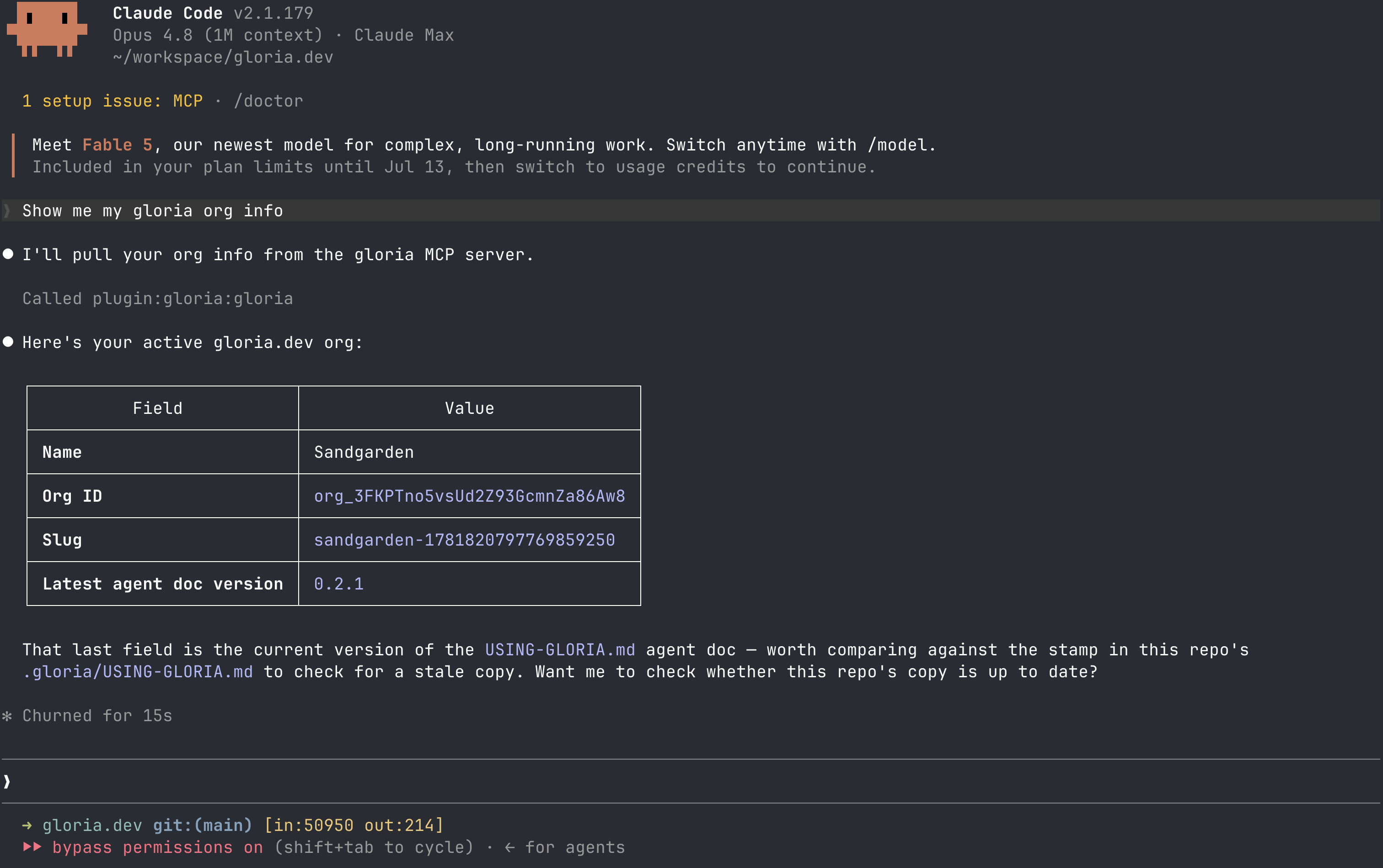
Ask your agent: “Show my organization.”
Your agent should confirm that the connection is live and that it can reach gloria.dev. If the sign-in fails, try again with the account that belongs to your gloria.dev organization.
Connect gloria.dev to your agent
The remote MCP server at https://mcp.gloria.dev/mcp is the bridge between your coding agent and gloria.dev. It uses Streamable HTTP and Clerk OAuth, so once you have installed the agent-specific connection above, the first request opens a browser sign-in and then runs against the organization tied to your login.
Bring skills into the agent
Skills are versioned bundles in the Skill Library. Search first, then install the skill or published plugin that fits where the skill lives.
Search the library
Ask your agent: “Search the skill library for skills that would help document this project.”
Your agent should return matching skills, their descriptions, and their latest versions. That is the fastest way to confirm whether the right skill already exists before you install it.
Next
Want the shorter paths? Go back to Guides, or jump straight to Install the MCP Server and Installing Skills.